Async Coaching
Asynchronous Coaching App: The Ideal Mobile Workflow
An asynchronous coaching app for reviewing client context, approving AI-prepared replies, delivering exercises, and growing a reusable coaching library.
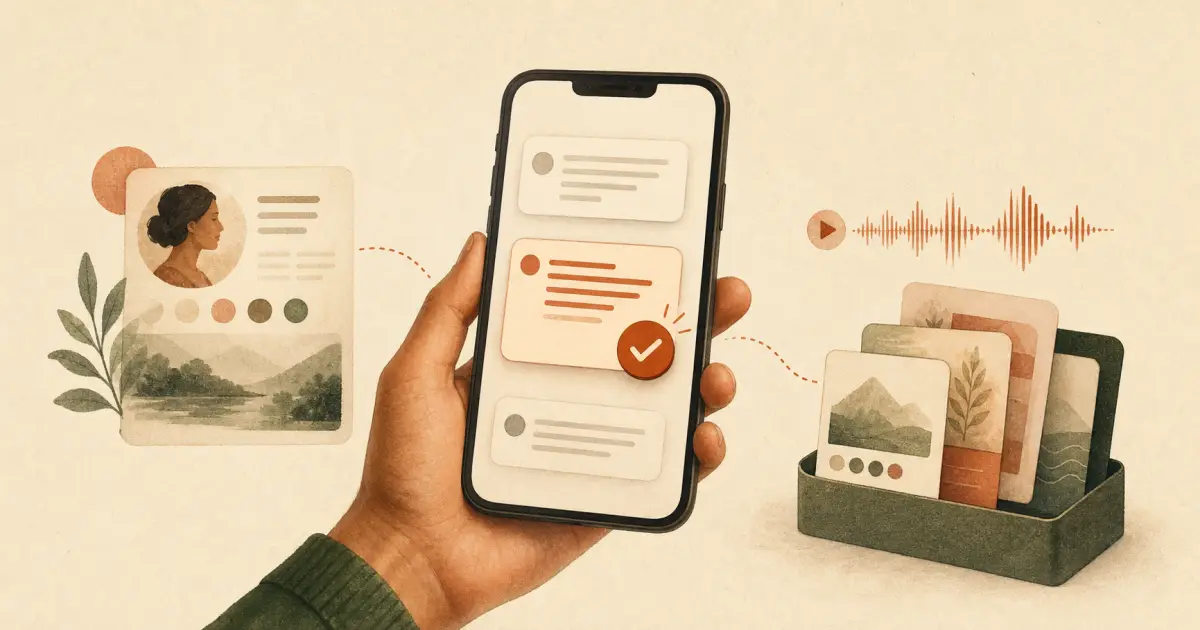
The ideal asynchronous coaching app is not another chat inbox with an AI button.
It is a mobile review desk for a real coach. It shows what needs attention, brings the right client context into view, prepares a response from the coach’s own method, and lets the coach approve, edit, record, or escalate it in a few taps. Every useful correction can then improve the next response.
That is the important difference between an async coaching app and a generic messaging app. Messaging moves words. A coaching system moves a person through a method.
I am building toward this model with AsynCoaching-Studio, first for personalized audio programs such as MyInnerCenter and MySleepExpert. The current product already has the core workflow: client check-ins, AI-assisted personalization, a human Review Desk, session generation, delivery, progress signals, and a persistent client history. The mobile app described here is the logical next interface for that system.
Why most coaching apps stop too early
Most current asynchronous coaching tools are built around one useful idea: let a client send video, audio, or text, then let the coach reply later.
That removes scheduling. It works across time zones. It gives both people more time to think. It is already better than forcing every useful interaction into a 60-minute call.
But it only solves the transport problem.
The coach still has to open every thread, reconstruct the client’s situation, remember what has already been taught, decide what to say, record it from scratch, and keep track of what happens next. If the practice grows, the result is not freedom. It is a larger inbox.
A serious AI coaching platform should reduce repetitive preparation while preserving the part clients actually pay for: the coach’s method, judgement, voice, and accountability.
Start with the coaching loop, not the app
The product should follow how asynchronous coaching works in practice:
- The client checks in by text, voice, or a short structured form.
- The system reads the check-in alongside the client’s history and the program method.
- It prepares the next response, exercise, plan, or personalized session.
- The coach reviews what matters and adds human judgement.
- The response is delivered in the most useful format.
- The client applies it, reports back, and the loop continues.
The app is not the method. It is the smallest interface that makes this loop easy to run consistently.
For the client, the experience should remain simple, but it is more than a delivery link. They need one place to receive messages and sessions, complete exercises, manage actions, reply, and revisit their coaching history. Forcing every client to install a complex app can create more friction than it removes, so this client space should work immediately from a secure link and feel excellent on mobile.
For the coach, however, mobile matters. A five-minute gap between two activities is enough to validate several routine items, as long as each one arrives with the right context and the decision is genuinely small.
The client app should answer: what do I do next?
The coach needs a review queue. The client needs a calm path forward.
The client home screen should not look like a course catalog or an endless chat feed. It should make the next useful step obvious, while keeping everything already received easy to find.
A simple client home could show:
- Continue: the current audio, video, written session, or exercise;
- New from your coach: personalized messages and responses that have not been opened;
- Your actions: exercises, habits, reflections, or practical tasks, with due dates only when they genuinely help;
- Check in: the next short set of questions, available by text or voice;
- Your journey: completed sessions, progress milestones, and what is coming next;
- History: every message, session, resource, and personal note previously sent by the coach.
The distinction between content and action matters. Listening to a session is not the same as applying it. The app should let a coach attach one or more concrete actions to a message or session, and let the client mark them done, postpone them, add a note, or explain what got in the way.
That response becomes the next coaching signal. A skipped task should not simply turn red in a dashboard. It should help the system ask a better question or help the coach adapt the next step.
A complete, searchable coaching history
Clients should be able to revisit what their coach sent without scrolling through months of mixed conversation.
The history can preserve the natural message timeline while also offering filters for sessions, exercises, commitments, resources, and completed actions. Search and automatic transcripts make old voice notes useful again. A client could find “the breathing exercise Samuel sent me” or reopen the session that helped during a similar situation three months earlier.
This history is not only convenient. It shows the client that the work is connected. The coach remembers what happened before, and the next response is not starting from zero.
Replies should be easy, but not necessarily unlimited
The client should be able to reply by text or voice, comment on a specific exercise, and share a quick update when something changes. The app can transcribe voice messages and connect each reply to the relevant session or action.
But good product design also protects boundaries. An async coaching offer may include scheduled check-ins, a limited number of personal replies, or defined response windows. The app should make those expectations visible rather than imitating an unlimited instant-messaging relationship.
Progress without guilt
Progress should show completed work, consistency, useful changes, and open commitments. It should not punish clients with streak anxiety or turn a sensitive coaching journey into a game.
Reminders should respond to context. If someone has not opened a session, the useful nudge is different from the one sent to a person who listened but got stuck on the exercise. The client should also be able to pause reminders, adjust their rhythm, and control notification channels.
For audio-led programs, the client app should remember playback position, support variable speed and background audio where appropriate, make transcripts available, and keep selected sessions accessible offline. Exercises and action lists should remain visible while the audio plays, so insight can become action without switching tools.
The two sides then reinforce each other. The client app captures what was opened, completed, postponed, questioned, or revisited. The coach app turns those signals into a better-prepared next response. That is a coaching loop, not just a messaging product.
The home screen should be a review queue
The first screen should not be a dashboard full of charts. It should answer one question:
What needs my judgement now?
The queue could separate items into a few clear groups:
- ready for quick approval;
- needs a small edit;
- sensitive or unusual, review carefully;
- waiting too long and at risk of breaking the client rhythm.
Priority should come from risk, urgency, and client progress, not from whoever sent the last notification.
A routine reminder may be safe to approve in one tap. A first personalized session deserves a full read. A message containing distress, a contradiction, or a situation outside the program’s boundaries should be held and escalated.
This is human-in-the-loop AI coaching turned into a usable mobile workflow. Human review cannot be a vague promise. It needs a queue, enough evidence, clear actions, and a record of what happened.
Every item needs the client’s context
A coach should never review an isolated AI draft.
The app should show a compact client card next to the prepared response:
- why the client joined;
- where they are in the program;
- recent check-ins and messages;
- previous sessions and exercises;
- durable preferences, such as language, pace, format, or tone;
- commitments and unfinished actions;
- risk flags or boundaries;
- a short living summary of what has changed.
The coach can expand the full timeline if needed, but routine decisions should not require ten taps and a memory search.
This is one of the biggest advantages over coaching in WhatsApp, email, or a general community app. Those tools preserve a conversation. They do not automatically preserve a structured understanding of the client.
The AI should draft from the method, not from the open internet
An empty chatbot asks the client to invent the right question. A generic AI reply may sound plausible while drifting away from the coach’s approach.
The app should work from a bounded method library:
- the coach’s principles and frameworks;
- approved explanations and examples;
- exercises and contraindications;
- session templates and progression rules;
- tone and language guidance;
- boundaries for when the program is not appropriate.
The client’s check-in decides what should be retrieved and adapted. The AI does not invent the coaching method. It assembles a relevant draft from material the coach trusts.
That draft may be a short text reply, a voice-note outline, a personalized audio session, a reframed exercise, or a suggested next question. The format follows the need, not the novelty of the tool.
Approve, edit, record, or escalate
Four actions cover most mobile reviews.
Approve
The response is accurate, personal enough, and within the method. One tap sends it or moves it into the delivery queue.
Edit
The structure is good, but one phrase is too generic or one assumption is wrong. The coach edits the sentence and approves. The system records the difference, because the correction is valuable feedback.
Record
Sometimes typing is slower and emotionally flatter than speaking. The coach records a short note. The app can send it as-is, transcribe it, attach it to prepared content, or save the reusable part for later.
Escalate
The message is sensitive, unusual, or outside the promised scope. The coach holds it for a deeper review, routes it to the right practitioner, or proposes a live conversation.
The goal is not to eliminate live coaching at all costs. The goal is to stop using live time for things that do not require it.
The response library should grow naturally
The most valuable long-term feature is not automatic writing. It is compounding knowledge.
Coaches repeat themselves for good reasons. Clients often need the same principle, exercise, reassurance, or warning, adapted to a different situation. Today, those good answers disappear into calls, private messages, and voice notes.
An ideal asynchronous coaching app should make reuse effortless.
After approving or recording a response, the coach could tap “save reusable part.” The system would suggest:
- a clean title;
- the principle or client situation it addresses;
- the part that is universal;
- the variables that must be personalized;
- the formats available, such as text, audio, exercise, or session block;
- boundaries, exclusions, and review level.
The coach confirms or adjusts the suggestion. The item then becomes part of the method library.
Over time, the app can propose an existing approved answer before generating anything new. It can also show that a client has already received a similar explanation, preventing repetitive coaching that feels automated.
This is how content starts to compound. One thoughtful response helps one client today and makes future personalization faster, without turning that response into a generic broadcast.
Learning should come from edits, not blind automation
“The app learns” should not mean that every private client message is dumped into an opaque training system.
A safer and more useful learning loop is explicit:
- approved unchanged: the draft was useful for this situation;
- approved after editing: compare the draft with the final version;
- rejected: record why it was wrong;
- replaced by a new response: identify the missing principle or content;
- saved to the library: this part is reusable and coach-approved.
These signals can improve retrieval, prompts, routing, and templates. They can also reveal gaps in the method. If the coach repeatedly rewrites the same type of answer, the system should suggest creating a better reusable module.
The coach should be able to inspect and remove saved knowledge. Client-specific details should remain attached to the client, not leak into a generic library. Privacy and control are part of product quality, especially for therapy-adjacent or health-related programs.
A five-minute mobile workflow
Imagine that a client sends a voice check-in while the coach is away from the desk.
The app transcribes it and extracts the important change: the client completed the exercise but avoided one difficult conversation. It retrieves the relevant principle from the coach’s method, checks what the client has already received, and prepares a 90-second audio response with one reflection and one next action.
The coach opens the notification and sees:
- the transcript and original audio;
- the client summary and recent progress;
- the proposed response;
- the exact approved source material used;
- a note explaining why this item requires review.
The response is good, but the challenge is too direct. The coach softens one sentence, records a personal 15-second introduction, and approves.
The client receives one coherent audio message. The final version is logged. The edited sentence becomes feedback for future drafts. The general explanation is already in the library, so nothing new needs to be saved.
That interaction feels personal to the client and takes the coach a few focused minutes. This is the kind of leverage that lets someone scale coaching without adding more Zoom calls.
Mobile-first does not have to mean two native apps
The simplest useful version should probably be a mobile-first progressive web app.
It can live on the home screen, open from secure notification links, record audio, support a focused review queue, and cache selected work for unreliable connections. It also avoids maintaining separate iOS and Android products before the workflow is proven.
A native app becomes justified when real use requires deeper recording controls, more reliable background uploads, richer push notifications, or device-level offline behavior that the web cannot deliver well enough.
This distinction matters. Building an App Store product is not the goal. Making the coaching loop faster and more trustworthy is the goal.
What should never become one-tap automation
Convenience can create false confidence. Some interactions need friction.
The app should require deliberate review for:
- risk, distress, or safeguarding signals;
- clinical, legal, or financial claims;
- the first important response to a new client;
- major changes to the program path;
- contradictions with earlier guidance;
- messages outside the coach’s competence or the offer’s scope;
- anything the system cannot support with approved source material.
Routine reminders and low-risk logistics can eventually run automatically. Sensitive coaching should not.
The best automation does not remove the human from the loop. It makes sure human attention arrives exactly where it has the highest value.
The real product is not the app
An asynchronous coaching app can be beautifully designed and still fail if it has no clear method underneath it.
The real product is the journey: what the client is asked, how the system interprets the answer, what guidance becomes available, where human judgement enters, what the client does next, and how the next interaction becomes more relevant.
The mobile app is the control surface for that journey.
For the coach, it should turn scattered messages into a calm queue of meaningful decisions. For the client, it should make a trusted human method feel present without demanding another calendar slot. For the business, it should turn every approved response into an asset instead of another piece of invisible labor.
That is the asynchronous coaching app worth building.
Not a chatbot. Not another inbox. A system that lets human expertise compound.
Frequently asked questions
What is an asynchronous coaching app? +
An asynchronous coaching app lets clients and coaches work at different times. A strong app goes beyond messaging: it collects useful check-ins, prepares personalized guidance from the coach's method, keeps a human review step where needed, delivers the response, and remembers what should improve the next interaction.
Is an async coaching app just a messaging app? +
No. Messaging is only the transport layer. A coaching app also needs client context, program structure, a review workflow, reusable content, progress tracking, boundaries, and a learning loop. Without those pieces, the coach has simply moved another inbox onto their phone.
Should AI answer coaching clients automatically? +
Only for low-risk, reversible messages that fit clear rules. Personalized sessions, sensitive replies, first interactions, and anything outside the method should reach a human review queue. The AI prepares; the coach keeps the final judgement.
Does an asynchronous coaching app need to be a native mobile app? +
Not at first. A mobile-first progressive web app can provide a fast home-screen experience, notifications, recording, and offline support without maintaining separate iOS and Android products. Native apps become useful only when real usage proves that deeper device integration is necessary.
How does the app improve its coaching response library? +
It records which suggestions the coach approves, edits, rejects, or replaces. Reusable explanations, exercises, examples, and voice notes can then be saved to the method library with clear tags and boundaries. Future drafts retrieve those approved building blocks instead of inventing generic advice.
What should clients see in an async coaching app? +
Clients need a calm home screen showing the next useful step, new messages or sessions, exercises and tasks, upcoming check-ins, and a searchable history of what their coach has sent. They should also be able to reply by text or voice, mark actions complete, revisit earlier guidance, and see progress without navigating a complex course dashboard.